As of 28 November 2026. Type: comparison page. Statements about Claro come from public pages on getclaro.ai, Scalera details from product pages and the FAQ. No prices, ratings or customer testimonials.
In short
- Claro, based in Berlin, describes itself as an operating system for product and supplier data: ingest supplier files, match them to your items, classify, enrich and write back to ERP or PIM (getclaro.ai).
- Scalera reads your customers' tenders and bills of quantities and suggests a fitting product from your range for each line item; the product page names manufacturers, contractors and distributors in Europe as users (product page).
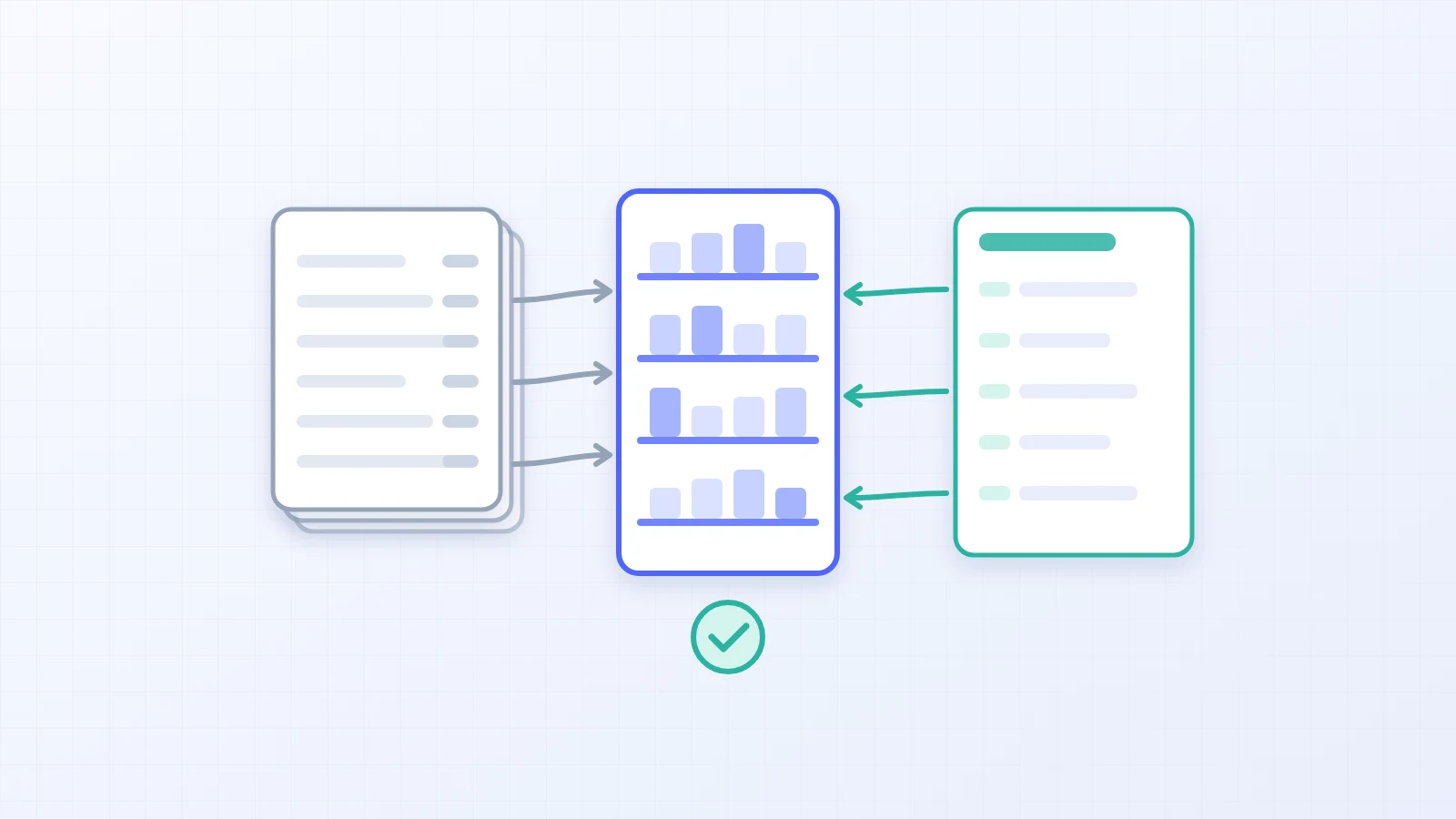
- So: both work on your catalog, but at different doors. Claro sits where supplier data comes in, Scalera where the customer request comes in.
Sources: getclaro.ai, scalera.ai, retrieved 28 November 2026.
The one question: where does the file come from?
A catalog is loaded from two sides. From purchasing come supplier price lists and feeds that need to enter your item master under their own codes. From sales come customer requests and bills of quantities whose line items you need to answer with your items. Both tasks are called matching, yet they solve different problems.
Claro describes the purchasing case: a supplier file with no shared identifier is matched row by row to your items or flagged as new (home page). Scalera describes the sales case: line items from tenders are matched to your products by specification, application and standard, with rationale and AI confidence (product page).
What Claro describes
As industries, Claro lists multi-supplier distributors, industrial manufacturers, spare parts and aftermarket, purchasing groups and marketplaces (home page, distributors). The public pages list:
- Supplier onboarding: a price list, a PDF or an Excel export is mapped to your own SKUs before your team opens the file (supplier onboarding).
- Catalog matching: a decision whether two records are the same product, the same part or a valid replacement, based on attributes rather than the description alone; plus crosswalks to other manufacturers' part numbers (catalog matching).
- Classification: mapping to ETIM, ECLASS or your own taxonomy, also named for electrical, HVAC and building-materials ranges (classification).
- Invoice reconciliation: every invoice line checked against the agreed price list, with a reason for each verdict (invoice reconciliation).
- Approval: rules, confidence thresholds and impact decide what is written back automatically and what goes to a review queue; Claro is also available as an API, embedded or over MCP (FAQ).
As target systems, Claro lists SAP, Microsoft Dynamics, Akeneo, Pimcore and inRiver, among others, and by its own account writes back through files and APIs rather than certified connectors (catalog matching).
What Scalera describes
Scalera works on the sales side of suppliers in construction tenders. Your catalog is the basis: you import product data once by upload or connect it through an interface (FAQ). How to prepare it is shown in preparing product data for AI matching.
| Area | What Scalera lists | Source |
|---|---|---|
| Request | tender as GAEB, NPK, ÖNORM, PDF, scan or Excel | Product page |
| Catalog | upload or interface, separate catalogs per location | FAQ |
| Suggestion | fitting product with rationale and AI confidence | Product page |
| Third-party | recognised, own alternatives suggested | FAQ |
| Export | into ERP, CPQ or CRM via CSV, XML, GAEB, API | Product page |
| Suppliers | assign line items, send price requests | Supplier |
The table describes Scalera only. Which ERP systems can be connected is listed on ERP integrations.
Shared ground, different doors
Both share this: rows without a clean shared identifier are matched against a catalog, every match carries a confidence score and a reason, and uncertain cases go to a person. Cross-references to other manufacturers' products appear in both as well.
The paths split at the door. Claro describes the path from the supplier file into your item master, plus classification, enrichment and invoice reconciliation. Scalera describes the path from the customer tender to the quote, with three BoQ standards, five languages and price requests to manufacturers through Supplier Matching.
The Claro pages checked do not mention tenders, bills of quantities or GAEB, NPK or ÖNORM. Conversely, the Scalera pages checked mention no supplier onboarding, no classification to ETIM or ECLASS and no invoice reconciliation (as of 28 November 2026). What a website does not show, the product may still do; ask if in doubt.
Four checks before you choose
- Which file ties up your team? If it is new supplier lists that need to enter the item master, onboarding matters. If it is bills of quantities with deadlines, matching line items matters.
- Which standard is your product data in? If your customers expect ETIM, ECLASS or BMEcat, read Datanorm, BMEcat and ETIM explained first; only Claro describes classification.
- How do you handle third-party products? If a BoQ names a competitor's product, you need an equivalent product of your own. How to offer it properly is covered in winning with alternates.
- How do you measure the result? Use real files from your daily work and count matches, flagged rows and the time to a reviewable result.
Start with the door your work comes through. The tool follows from that.
More comparisons: Scalera vs. Coreventa (pricing rules) and Scalera vs. Conexiom (orders). To see how Scalera works with your range, take a current bill of quantities to the demo.
Frequently asked questions
Is Claro an alternative to Scalera?
Only in part. Both match rows against your catalog and give each match a confidence score (Claro catalog matching, Scalera product page). Claro describes price lists, supplier catalogs, ERP exports and bills of materials as input. Scalera describes your customers' tenders and bills of quantities as input, followed by a quote.
Does Scalera bring my suppliers' price lists into my catalog?
The pages checked do not describe this for Scalera. According to the FAQ, you import your own product data by manual upload, updated quarterly, or through an API integration. Suppliers appear at a different point: Supplier Matching assigns BoQ line items to manufacturers and sends price requests.
Does Claro read GAEB, NPK or ÖNORM bills of quantities?
The Claro pages checked do not describe these formats (as of 28 November 2026). Claro lists Excel and CSV, PDF price lists, BMEcat and other industry XML, EDI feeds, and API and database connections (catalog matching). If in doubt, ask Claro directly.
Which company is behind Claro, and where does Scalera work from?
According to its legal center, Claro is a product of Happy Data GmbH, based in Berlin; Claro lists its data-processing providers on a separate page. Scalera is Swiss software from Zurich and, according to the FAQ, stores data in European data centres.
How do I find out which tool helps me?
Start with the file that takes your team the longest by hand today. If it is a new supplier list, check matches, duplicates and new items. If it is a bill of quantities, check correctly matched line items, flagged line items and the time to a reviewable draft. The pilot guide describes the process.
Sources, as of 28 November 2026