Platform

Atlas: the construction AI agent that knows your back office work.

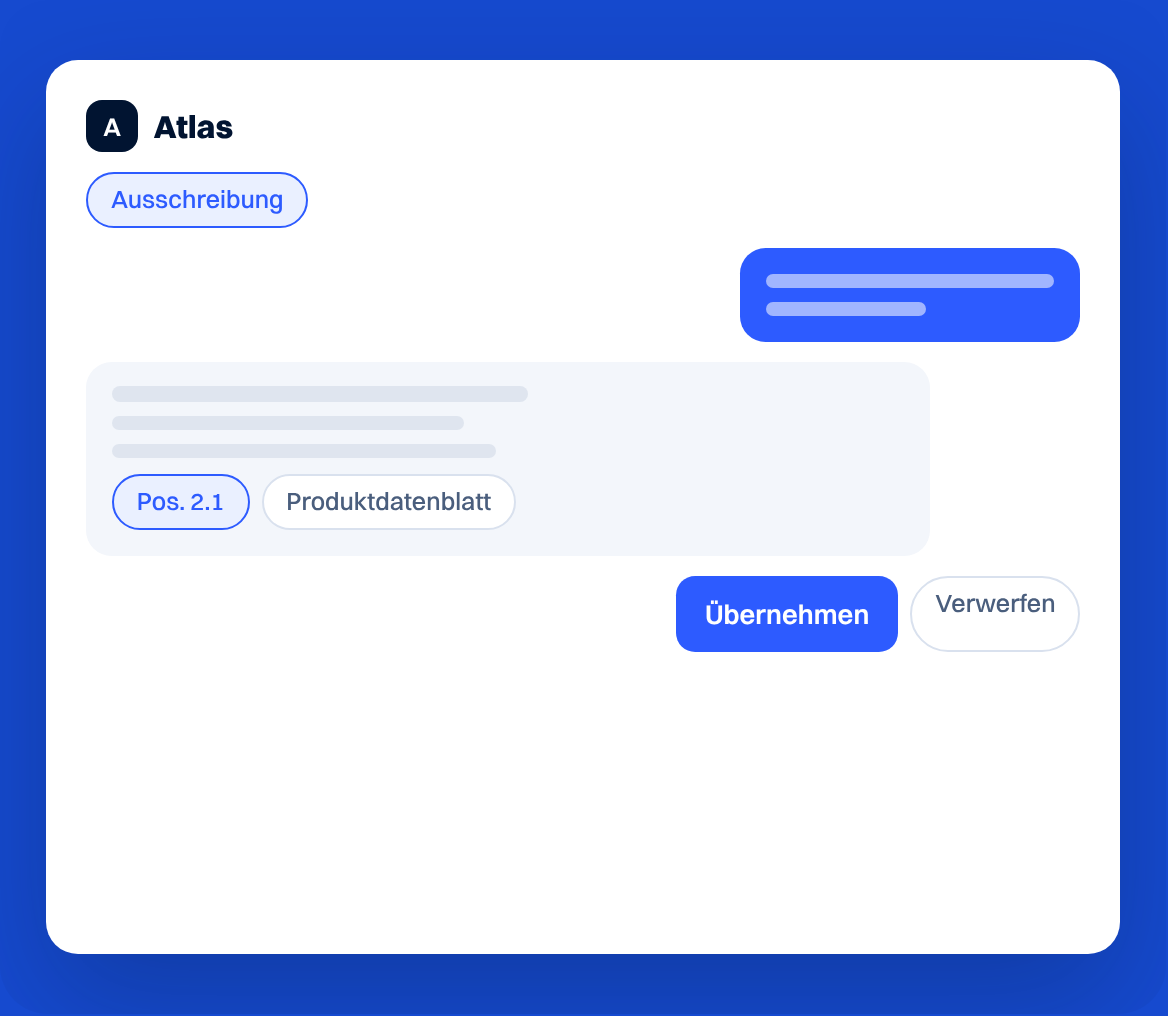
Ask Atlas about tenders, line items and products. It sees the page you're on and the documents you share, so you get answers instead of digging through catalogues and PDFs.

Logo ERNE

Trusted by 150+ leading industry companies

Weniger nachschlagen. Mehr klären.

AAtlas
Pos. 2.1

Mit Projektkontext fragen.

Stelle deine Frage zur geöffneten Ausschreibung oder Position, ohne den ganzen Vorgang neu zu erklären.

Bibliothek
ProduktdatenblattMontageanleitungPreisliste

Deine Unterlagen nutzen.

Atlas liest freigegebene Dokumente aus deiner Bibliothek.

Freigabe
Produktänderung
Übernehmen

Änderungen selbst freigeben.

Produktbezogene Änderungen prüfst du in einer Vorschau und übernimmst sie erst mit deiner Freigabe.

So arbeitest du mit Atlas

Atlas
AusschreibungPos. 2.1Ausschreibungsradar
1

Kontext öffnen.

Öffne eine Ausschreibung, eine Position oder den Ausschreibungsradar. Atlas ist auf der Seite als schwebendes Fenster dabei.

AAtlas
Ausschreibung
2

Frage stellen.

Lass dir die verfügbaren Angaben zusammenfassen oder stelle eine konkrete Frage zu deinem Projekt.

AFreigabe
Produktänderung
ÜbernehmenVerwerfen
3

Antwort prüfen.

Vergleiche die Antwort mit den Unterlagen. Produktänderungen übernimmst oder verwirfst du in der Freigabekarte.

Häufige Fragen

Kann Atlas Daten ohne meine Freigabe ändern?

Nein. Produktbezogene Änderungen zeigt Atlas zuerst in einer Vorschau. Erst mit «Übernehmen» werden sie angewendet.

Kann Atlas alle Dateien sehen?

Nein. Der Zugriff hängt von deinen Rechten und der Freigabe des jeweiligen Bibliotheksordners ab.

Mit welchen KI-Anbietern arbeitet Scalera?

Scalera hat Partnerschaften mit den führenden KI-Anbietern, darunter Anthropic, OpenAI und xAI.

Werden meine Daten zum Training genutzt?

Nein. Scalera nutzt private KI-Instanzen. Deine Daten trainieren keine öffentlichen Modelle und werden nicht für andere Kunden genutzt.

Less searching. More answers.

AAtlas
Item 2.1

Ask with project context.

Ask about the tender or line item you have open without explaining the whole job again.

Library
Product data sheetInstallation guidePrice list

Use your documents.

Atlas reads the documents you make available in your library.

Approval
Product change
Accept

Approve changes yourself.

Review product-related changes in a preview and apply them only after your approval.

How to work with Atlas

Atlas
TenderItem 2.1Tender Radar
1

Open the context.

Open a tender, a line item or Tender Radar. Atlas sits on the page as a floating window.

AAtlas
Tender
2

Ask a question.

Ask for a summary of the available information or ask a specific question about your project.

AApproval
Product change
AcceptDismiss
3

Check the answer.

Compare the answer with your documents. Accept or dismiss product changes in the approval card.

FAQ

Can Atlas change data without my approval?

No. Atlas shows product-related changes in a preview first. They only apply when you choose «Apply».

Can Atlas see every file?

No. Access depends on your permissions and the access granted for each library folder.

Which AI providers does Scalera work with?

Scalera has partnerships with the leading AI providers, including Anthropic, OpenAI and xAI.

Is my data used for training?

No. Scalera uses private AI instances. Your data does not train public models and is not used for other customers.

What our customers say

ACO reference image

"Scalera has made us feel that we and our ideas are important."

‍

Marco Dürst, ACO
Marco Dürst

Management

“Scalera has made our supplier communication significantly simpler and more efficient. The tool is easy to use, saves valuable time, and makes our day-to-day work noticeably easier.”

Pius Zurfluh, GAMMA AG Bau
Pius Zurfluh

Managing Director

Dormakaba reference image

We are systematically continuing to build our organization towards data-driven processes.”

Pascal Kägi, Dormakaba
Pascal Kägi

Member of the Executive Board

Frauenthal reference image

“In the past, it took us 30 to 40 minutes for a large tender. Today we are around 10 to 15 minutes with Scalera. That makes a huge difference in our volume.”

Markus Grafl

Head of Central Offer Management

Lazzarini reference image

“Scalera is our new employee in processing offers — thinks quickly, never complains, doesn't take breaks and knows every position by heart!”

Marc Caminada, Lazzarini
Marc Caminada

Construction guide

HEW reference image

“With Scalera, we have significantly streamlined our administrative functions. Today, a central location is enough to optimally support the calculators and at the same time handle significantly more volumes.”

Ciril Disch, HEW
Ciril Disch

Head of Building Construction/Member of Management

“The greatest benefit for us has truly been the time saved. We are effectively saving money.”

Michael Lang

Managing Director

Bring a task from your back office

No contracts. No long-term commitment.

Used by 150+ manufacturers, dealers and general contractors across Europe.